
THE GLARE-FREE UPGRADE
Your Eyes Hurt Because Your Lighting Wasn’t Built for Screens.


“I game for hours and this completely changed my setup. No glare on my screen and my eyes don’t feel tired anymore”
ErgonomicLux
Monitor Light Bar Lamp
Monitor Light Bar Lamp
-
 Eliminates harsh screen glare
 Protects your eyes while you work
 Lights your desk without reflections
 Fully adjustable to your perfect setup
Couldn't load pickup availability


Monitor Light Bar
It's Not Your Screen. Your Desk Lamp Is The Problem.
Designed to shine downward, not into your screen. No glare. No eye strain. Just clean, focused light.
Fix My Lighting →
40,000+ Setups Switched to Glare-Free Lighting
From developers and designers to late-night gamers, here is what they said.

No more headaches even after 8-hour coding sessions.

Finally a setup that looks as good as it feels to work at.

Eye burn completely gone, even after late-night sessions.

Replaced three separate lighting gadgets with this one bar.
Why This Isn’t a Desk Lamp

The Real Problem: Glare
Desk lamps spread light everywhere. Some of it hits your screen and reflects into your eyes.
Eye strain, headaches, and fatigue, even after short sessions

Light That Stays Off Your Screen
Designed to shine downward only. Light stops before reaching your display.
No reflection. No glare. Immediate comfort

Lighting That Adjusts to You
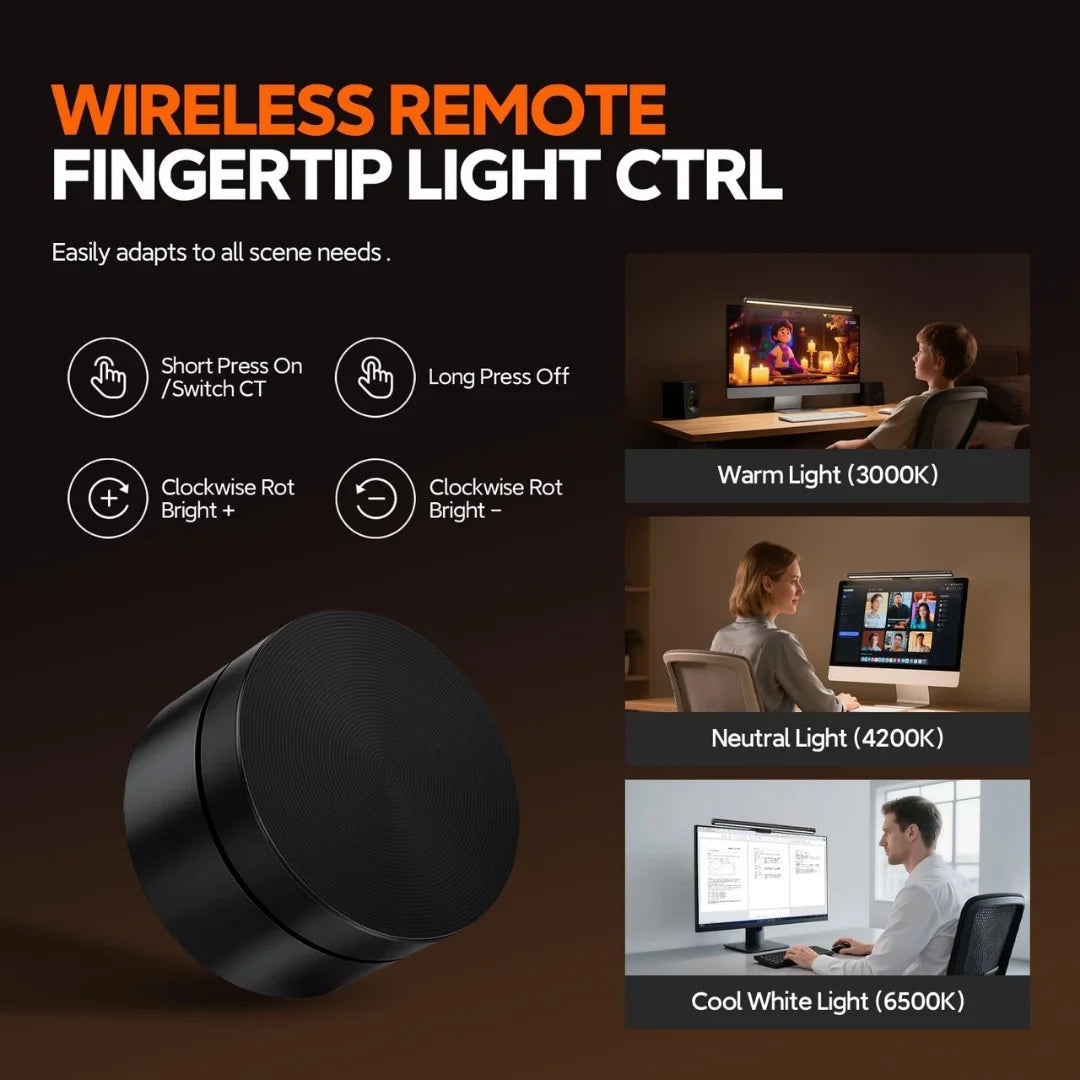
Warm for late nights. Cool for focus.
2700K to 6500K. One control. Any setup

Clips On in Seconds
No tools. No desk space. No extra setup.
Mounts in seconds. Works on flat and curved monitors
Setup Guide
Up and Running in Minutes
No tools. No outlet. Ready in seconds.

Clip Onto Your Monitor
Place the weighted mount over the top of your screen for a secure, balanced fit without taking up desk space.
One Bar. Every Desk. Every Mood.


Every Detail, Engineered


Stop Straining Your Eyes with Bad Lighting
Most desk lighting setups cause glare, uneven brightness, and eye fatigue over time.


Common Questions
Everything You Need to Know
Will it fit my curved monitor?
Yes. The Monitor Light Bar Lamp features a weighted, spring-loaded clip designed to sit securely on both flat and curved monitors. The gravity pivot mechanism automatically adjusts to the curvature of your display, maintaining a stable position without scratching or damaging your screen bezel. It has been tested on monitors with curvature ratings from 1000R to 1800R and works flawlessly on all of them.
Does it work with ultrawide monitors?
Absolutely. The light bar is designed to illuminate your desk surface, not to span the full width of your monitor. Whether you are using a standard 24-inch display or a massive 49-inch ultrawide, the bar clips onto the top bezel and casts an even asymmetric light pattern across your entire keyboard and desk area. For ultrawide setups, many users position the bar at the center for optimal coverage, and the wide beam angle takes care of the rest.
What power source does it need?
The light bar is powered by a single USB-C cable (included in the box). Simply plug it into any available USB port on your monitor, laptop, or a USB wall adapter. It draws minimal power, so it will not affect your other devices. No bulky power bricks, no wall outlets needed. If your monitor has a USB port on the back, the cable routes cleanly out of sight for a clutter-free setup.
Will it block my webcam?
No. The light bar has been specifically engineered with a slim, low-profile design that sits on the top bezel of your monitor without obstructing built-in webcams. The adjustable clip allows you to position the bar precisely, so even monitors with centered webcams (like most modern displays) remain fully unblocked. You can take video calls and use the light bar simultaneously with zero interference.
Can I adjust the light angle?
Yes. The bar rotates on its axis, allowing you to tilt the light forward or backward to direct illumination exactly where you need it. This is part of the asymmetric light design: you can angle the beam to light up just your keyboard, your notebook, or your full desk area. Once you find your preferred angle, the weighted clip holds the position securely without drifting or slipping over time.
How bright is it compared to a desk lamp?
The Monitor Light Bar Lamp produces up to 500 lux of focused illumination on your desk surface, which is comparable to a premium desk lamp. The critical difference is efficiency: a desk lamp scatters light in all directions (including onto your screen, causing glare and into your eyes, causing strain). The light bar focuses 100% of its output downward onto your workspace. The result is that it feels brighter where it matters and produces zero glare on your display. Stepless dimming lets you dial in the exact brightness for any task.
Does it flicker?
No. The Monitor Light Bar Lamp uses flicker-free LED technology that maintains a steady, consistent light output at all brightness levels. Screen flicker is a major contributor to eye strain and headaches during extended sessions. Our LEDs operate at a frequency that eliminates visible flicker entirely, making them safe and comfortable for marathon work sessions, late-night gaming, or content creation that demands hours of focused screen time.
What is the return policy?
We offer a 30-day risk-free trial. If the Monitor Light Bar Lamp does not meet your expectations for any reason, contact our support team and we will arrange a full refund, no questions asked.
Still have questions?
Our team is here to help. Reach out anytime and we will get back to you within 24 hours.
Stop Letting Bad Lighting
Ruin Your Focus
Your setup looks clean but your lighting isn’t. Fix glare. Fix eye strain. Fix your workflow.
Free shipping
